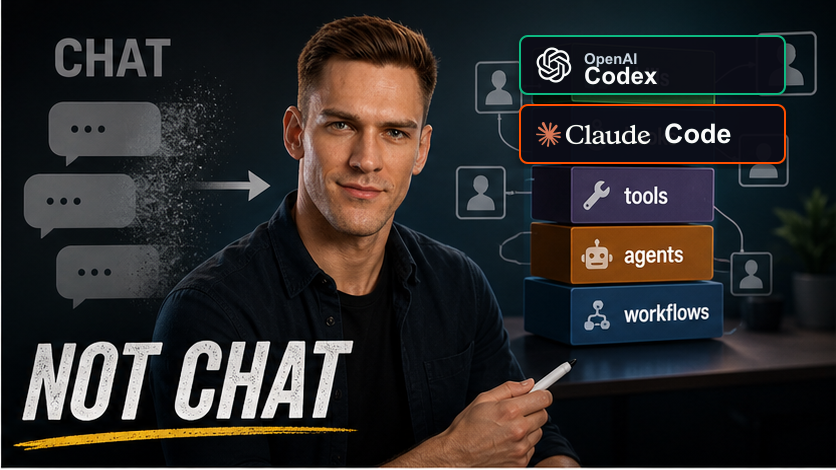
Most people still talk about AI agents as coding assistants.
That frame is too small.
The more useful frame is this:
AI agents are execution workers. The human's job is to compile messy business reality into context they can execute against.
That distinction matters because real engineering work rarely starts with a clean programming problem.
It starts with a Slack thread, a vague Jira ticket, a meeting comment, a half-remembered hallway conversation, a dashboard nobody fully trusts, a codebase with hidden conventions, and a stakeholder who knows what they want but has not expressed it in executable detail.
If you give that mess directly to an agent, the output is usually disappointing.
Not because the model cannot write code.
Because the target was never defined clearly enough.
This guide describes the workflow I use for the intermediate stage between manual engineering and full automation: a human-in-the-loop method for turning scattered intent, undocumented knowledge, existing system constraints, and validation access into something an AI agent can act on.
I call the role behind this method the Human Context Compiler.
The bottleneck is no longer only coding
In traditional software work, the bottleneck often looked like implementation.
Someone needed to understand the ticket, open the editor, write the code, test it, review it, deploy it, and maintain it.
AI changes part of that.
It can draft code.
It can inspect files.
It can propose tests.
It can run commands.
It can use browser tools.
It can summarize logs.
It can produce a pull request.
But inside a real company, the hardest part is often upstream of that.
The agent still needs to know what should become true.
It needs to know what the stakeholder actually wants.
It needs to know which systems matter.
It needs to know which constraints are real.
It needs to know how to validate the result.
And it needs access to the environment where that validation can happen.
That is the human leverage point.
The valuable worker is not just the person typing code. The valuable worker is the person who can transform ambiguous business intent into an executable context package.
Why full automation is usually blocked
It is tempting to imagine the end state as full job automation.
A request appears.
An agent reads it.
The agent finds all context.
The agent changes the code.
The agent validates everything.
The agent ships the result.
In a company built from scratch around perfectly captured digital context, that may become more realistic.
In an existing business, there is a hard problem: the documented world is always behind the real world.
Slack is incomplete.
Documentation is outdated.
Code explains what exists, not always why it exists.
Meeting notes miss side comments.
Important decisions happen in private conversations.
People carry years of observations in their heads.
Some context was never written down because nobody knew it would matter later.
As long as that is true, the human cannot disappear completely.
The human fills the gap between recorded context and real organizational knowledge.
That does not make agents useless.
It changes where the human should focus.
The goal is not to automate judgment away. The goal is to automate as much mechanical execution as possible after the human has defined the target, supplied the missing context, and prepared a validation loop.
Step 1: Capture the stakeholder's real intent
The first question is not:
What code needs to change?
The first question is:
What outcome does the stakeholder want to become true?
That can be different from the written request.
A ticket may say:
Add a button.
The real intent may be:
Give operations a safer way to trigger this workflow without asking engineering.
A ticket may say:
Fix the formatting issue.
The real intent may be:
Clear the backlog before the external deadline.
A ticket may say:
Build automation for this process.
The real intent may be:
Reduce repeated manual work without creating operational risk.
This distinction matters because the stakeholder pays for the outcome, not for a literal interpretation of the first sentence in the ticket.
If the goal is to create value, the first artifact should capture intent.
Useful sources include:
- the Jira ticket
- Slack threads
- meeting transcripts
- customer complaints
- support tickets
- dashboards
- previous pull requests
- documentation
- direct stakeholder comments
- your own memory of unrecorded context
The aim is to minimize divergence from the requester's actual vision.
You can write worse code and still create value if you build the right thing.
You can write beautiful code and still fail if you build the wrong thing.
Step 2: Collect the system context
Intent explains what should become true.
System context explains what already exists.
The agent needs both.
System context may include:
- relevant repositories
- specific files and folders
- service boundaries
- APIs
- schemas
- database tables
- deployment environments
- logging locations
- authentication requirements
- existing conventions
- similar prior implementations
- known edge cases
- internal documentation
This is where many AI workflows fail.
The agent gets a task description but not the operating environment.
It knows what to build in the abstract but not where the real system has seams, traps, conventions, and dependencies.
The Human Context Compiler has to connect the abstract request to the concrete codebase.
That may mean naming exact repositories.
It may mean linking specific files.
It may mean pointing to previous implementations.
It may mean explaining why one obvious path is wrong because of a constraint that is not documented anywhere.
Step 3: Create Prompt Zero
Once the intent and system context are collected, put them into one markdown file.
This is not just a prompt.
It is the context package for the unit of work.
I think of it as Prompt Zero.
It should include:
- the original request
- the business goal
- the stakeholder's expected outcome
- relevant links
- your interpretation of the intent
- known constraints
- relevant repositories and files
- existing system behavior
- desired system behavior
- non-goals
- risks
- edge cases
- open questions
- acceptance criteria
- validation steps
The fastest way to create this is often not careful typing.
Use voice dictation.
Ramble into the file.
Explain how the pieces connect.
Mention the things that feel obvious to you but would not be obvious to an agent.
Then clean it up enough that the agent can use it.
The first version does not need to be elegant.
It needs to be complete enough to prevent the agent from optimizing toward the wrong target.
Step 4: Define the loss function
The machine-learning analogy is useful here.
Before an optimizer can optimize, someone has to define what better means.
Before an AI agent can implement correctly, someone has to define what done means.
Prompt Zero is the loss function for the implementation task.
It tells the agent what to optimize for:
- stakeholder outcome
- correct behavior
- minimal unnecessary change
- consistency with existing architecture
- testability
- deployability
- end-to-end validation
If the loss function is wrong, the optimizer can converge beautifully on the wrong answer.
The same thing happens with AI implementation.
A vague prompt can produce polished, plausible, incorrect work.
A good Prompt Zero makes the target harder to misunderstand.
Step 5: Prepare the agent's execution environment
Do not ask the agent to implement before checking what it needs to complete the work.
Ask:
What does the agent need access to in order to build and validate this end to end?
Depending on the task, that may include:
- repository access
- local development setup
- Docker
- environment variables
- API keys
- AWS SSO
- Databricks access
- database access
- test credentials
- Slack access
- browser access
- staging URLs
- logs
- screenshots
- CLI tools
- deployment permissions
- monitoring dashboards
This is the difference between an agent that writes code and an agent that can prove behavior.
If the change affects a browser UI, the agent may need browser access.
If the change sends a Slack notification, the agent may need to inspect the Slack output.
If the change depends on AWS, the agent may need valid SSO and the right CLI configuration.
If the change affects a data pipeline, the agent may need access to a test run, logs, and output tables.
The generic rule is simple:
Whatever a human would use to verify the work, the agent needs some equivalent path to observe.
Step 6: Force a validation path
Implementation without validation is not finished work.
The agent should not merely say:
I implemented it.
It should be pushed toward:
I implemented it, ran it, observed the output, compared it against the expected behavior, and here is the evidence.
Validation can include:
- unit tests
- integration tests
- API calls
- browser automation
- screenshots
- logs
- database checks
- staging deployments
- Slack notification checks
- generated output comparison
- stakeholder review
The exact method depends on the task.
But the principle is stable: the agent needs a feedback loop.
Without a feedback loop, the agent is guessing.
With a feedback loop, the agent can iterate.
Step 7: Expect iteration, not magic one-shot automation
For simple tasks, a strong Prompt Zero may be enough.
For real business work, it usually is not.
That is because even the requester often does not know every desired behavior in advance.
They discover it by seeing the first version.
The actual workflow is usually:
context → implementation → observation → clarification → refinement → validation → acceptance
Not:
prompt → implementation → done
The human remains responsible for judgment.
The agent can execute many steps faster than the human.
But the human still resolves ambiguity, adds undocumented knowledge, judges tradeoffs, and decides when the output is aligned with the real goal.
That is why this is an intermediate automation model.
It does not remove the human.
It moves the human up the leverage stack.
The full algorithm
Here is the workflow in compressed form.
-
Capture the request
Collect the original ticket, Slack thread, meeting notes, and stakeholder wording. -
Extract the real intent
Translate what they asked for into the outcome they need. -
Collect system context
Link relevant repositories, files, APIs, services, docs, schemas, logs, and previous examples. -
Create Prompt Zero
Write one markdown file containing intent, constraints, context, assumptions, and expected behavior. -
Define done
Specify acceptance criteria, non-goals, edge cases, and validation evidence. -
Prepare agent access
Ensure the agent has the tools, credentials, environment, and interfaces it needs. -
Ask for an implementation plan first
Make the agent identify affected files, risks, unknowns, and validation strategy before coding. -
Let the agent implement
The agent modifies code, docs, data, configs, workflows, or UI. -
Force end-to-end validation
The agent must run tests, inspect outputs, check logs, use browser or API tools, or otherwise prove correctness. -
Iterate with human judgment
The human resolves ambiguity, fills undocumented context, and gets stakeholder feedback. -
Package the result
Save the implementation pattern, decisions, validation steps, and reusable prompts for future work.
The real skill
The new bottleneck is not simply coding speed.
It is context compression.
Can you take the messy reality of a company and turn it into something an AI system can execute?
Can you understand the stakeholder's intent better than the ticket states it?
Can you find the relevant code, docs, logs, and constraints?
Can you provide the agent with enough access to validate the result?
Can you notice when the agent is optimizing for the wrong target?
Can you convert the whole process into a reusable method?
That is the role I expect to matter more over time.
Not only software engineer.
Not only prompt engineer.
Not only AI tool user.
More like:
Human Context Compiler: the person who turns messy business intent into executable context for AI agents.
That is where the leverage is.